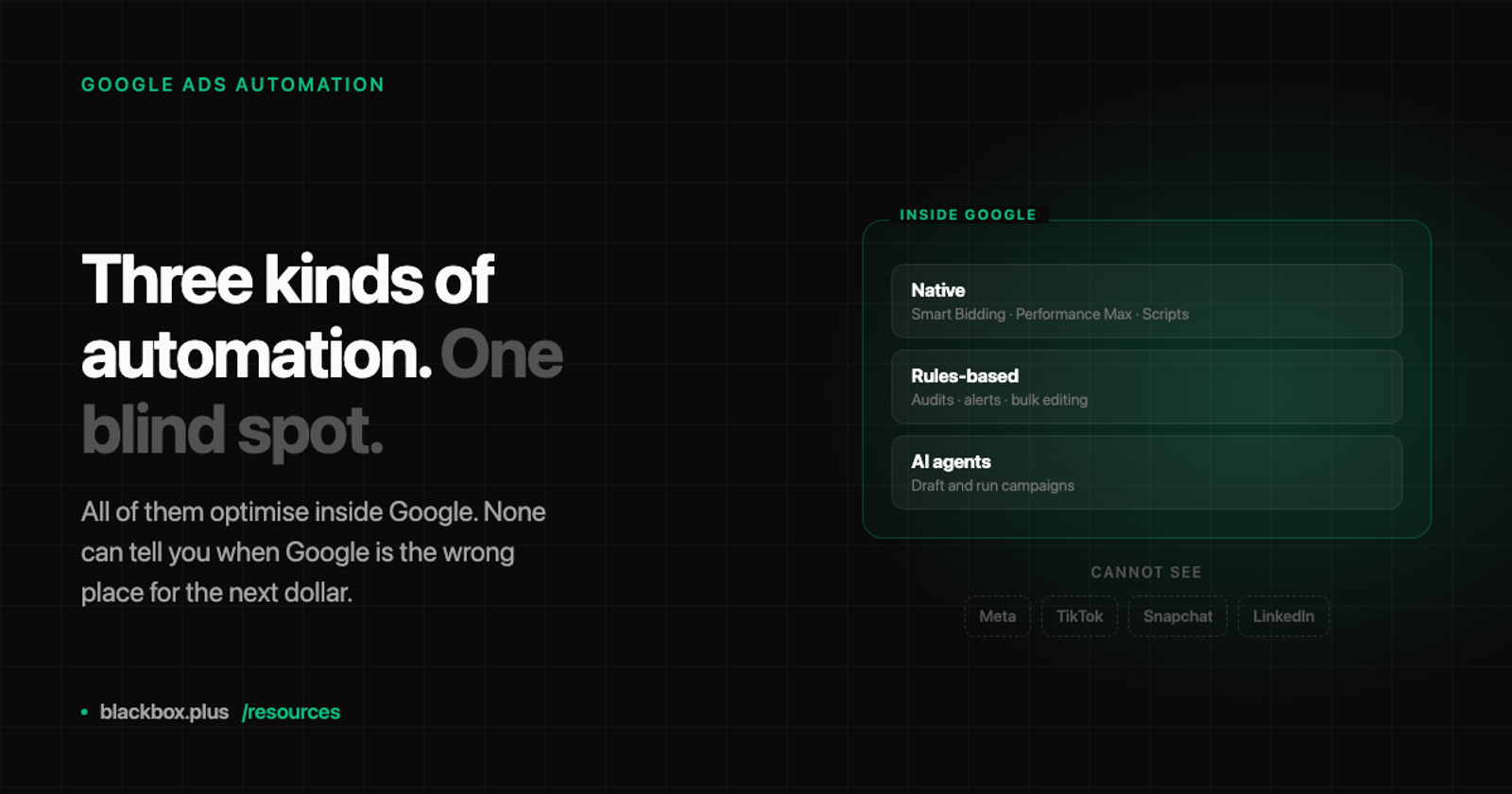
Google Ads automation tools come in three kinds: Google's own automation, which is free and already switched on in your account; third-party rules-based platforms like Optmyzr, Opteo and Adalysis, which add audits, guardrails and bulk editing on top; and AI agents that draft and run campaigns themselves. Which one you need depends far less on the feature list than on a single question — how many channels do you buy? All three automate work inside Google Ads well. None of the Google-only ones can tell you when Google is the wrong place for your next dollar, because none of them can see anywhere else.
That last point is the one every comparison in this category leaves out, so this guide is organised around it: what each kind of tool genuinely does, who it suits, and where the category as a whole stops.
What counts as Google Ads automation
The phrase covers three quite different things, and most articles blur them into one ranked list, which is why the lists disagree with each other.
Native automation is Google's own: Smart Bidding, Performance Max, Google Ads Scripts, the Google Ads API, and Search Ads 360 at the enterprise end. It costs nothing beyond your ad spend and much of it is on by default.
Rules-based third-party platforms sit on top of your account through the API. Optmyzr, Opteo, Adalysis, TrueClicks and Adpulse are the names you will keep meeting. They watch for conditions you define — a keyword whose cost per conversion has drifted, an ad group with no active ads, a budget pacing badly — and either alert you or act.
AI agents are the newest group and the least standardised. The useful distinction inside it is not how clever the model is, but whether the agent can execute. Some produce a list of changes for you to make. Some make them.
What is actually being automated, across all three, is a short list: bid management, budget pacing, search-query mining and negative keywords, ad and creative testing, anomaly alerts, and reporting. Everything else in the marketing copy is a variation on those six.
The native tools: powerful, free, and Google's
Start here, because most advice skips it and it is the honest baseline. If you have not exhausted what Google gives you, a paid tool is unlikely to be your bottleneck.
Smart Bidding genuinely outperforms manual bidding for most accounts with enough conversion volume to learn from. Performance Max will assemble and run campaigns across Google's inventory with very little input. Google Ads Scripts are free, run on a schedule, and will do essentially anything you can express in JavaScript — the standard answer to "can I automate this specific thing?" is yes, if someone will write it.
The catch is not that these tools are bad. It is who they belong to.
When you ask Performance Max to optimise your spending, you are asking a system built and paid for by Google whether Google is a good place to spend money. It answers honestly, by finding the best available outcome inside Google's inventory. What it will never do is notice that your cost per lead on Search has drifted up for six weeks while another platform's has halved, and suggest you move a third of the budget across. That is not a feature Google forgot. A recommendation to spend less on Google is structurally against the interest of the company building the optimiser.
Stated plainly rather than darkly: this is an incentive fact, not a conspiracy. Google's automation is good at the job it is pointed at. The job it is pointed at is Google.
There is a second, smaller catch. Native automation reports on itself, in its own interface, using its own attribution. Performance Max in particular is famously opaque about where spend went and which inventory produced results. If you want to audit the automation rather than trust it, that is where third-party tools start earning their fee.
Rules-based tools: the honest middle
This is the least glamorous group and the one most likely to be right for a single-channel advertiser.
Optmyzr and its peers do not replace the media buyer. They compress the work. An account audit that takes a careful person a morning runs in seconds and produces a list. Rules catch the things humans forget: the paused ad group still holding budget, the search term that has quietly become 12 percent of spend, the campaign whose conversion tracking broke on Thursday. Bulk editing turns an afternoon of clicking into one operation. Alerting means you find out about the broken thing on Thursday rather than the following Tuesday.
They also give you a check on Google's automation from outside Google's interface, which is genuinely valuable if you are running Performance Max and want to know what it is actually doing.
Where they stop is straightforward, and to their credit most of them say so: they optimise within the account you point them at. Adalysis is strong on ad testing and account audits. Opteo focuses tightly on Google Ads. Even the platforms that connect to several ad networks generally manage each one separately — the same tool running Google and Meta side by side is usually two optimisation loops in one login, not one loop across both.
If Google is where you buy, a rules-based tool plus Smart Bidding is a genuinely good answer, and it is cheaper and simpler than anything below. This is the recommendation half the guides in this category are too invested to make.
The blind spot every Google-only tool shares
Now the part that decides which section of this article applies to you.
None of the tools above can see your Meta, TikTok, Snapchat or LinkedIn spend. Not because they are badly built, but because they connect to Google Ads. And that means none of them can answer the question that actually determines a quarter: given what every channel returned last month, where should next month's money go?
That question is worth more than everything underneath it. A well-tuned bid strategy might recover a few percent on a campaign. Moving a third of a budget from a channel that has decayed to one that is climbing is a different order of magnitude entirely. It is also the decision most likely to be made badly, because it is made on feel — you open four dashboards on Monday, each reports accurately that it is doing well, each is grading its own homework on its own curve, and none of them has seen the others' results.
So the honest framing of the category is this: automation is a within-channel job, and allocation is a between-channel job, and no amount of the first produces the second. Buying a better Google Ads tool to fix a cross-channel problem is a category error, and it is an easy one to make, because the Google Ads problem is the one visible from inside the Google Ads tab.
You can tell which problem you have by asking what you did the last time results dipped. If you dug into keywords and bids, a rules-based tool will help. If you sat there wondering whether the money should be somewhere else entirely and had no way to check, no Google Ads tool is going to reach that.
What an AI media buyer does differently
An AI media buyer is defined by what it connects to, not by the model underneath it. Connect every channel and the cross-channel comparison becomes arithmetic rather than instinct.
That is the category Blackbox is in. It connects Meta, Google, TikTok, Snapchat and LinkedIn, reads performance across all of them, and proposes changes — budget moves, pauses, new campaigns, creatives — with its reasoning attached. When you approve one, it executes through the same marketing APIs the native ad managers use, rather than handing you a list to retype.
Two things are worth pulling out, because they are where this differs from both groups above.
The first is the approval step. Every proposal goes into an inbox with the reasoning shown, and nothing touches a live account until a person approves it. Both listicles currently ranking for this keyword mention approval workflows only in passing, for one or two tools out of a dozen — which is strange, given that "what happens between the software deciding something and my money moving" is the first question anyone accountable for a budget asks. An agent that acts first and reports later is a fine demo and a difficult thing to actually run.
The second is that the recommendation can be away from Google. That sounds small and it is the whole point. A tool that answers to you can say the thing Google's automation structurally cannot.
We are not going to claim a performance number here, because we do not have the cohort data it would take to say one honestly. What we can say is that we run our own paid acquisition through it, and that a media agency runs client accounts through it and shares its management fee for the work the agent does — which is a decision made by professional skeptics whose margin is on the line.
How to choose
Three situations, three answers.
- One channel, hands-on. Google Ads Scripts if you have someone who writes JavaScript, or a rules-based platform if you would rather buy than build. Add Smart Bidding. You do not need an AI agent, and anyone telling you otherwise is selling one.
- One channel, hands-off. Performance Max with tight guardrails, a healthy scepticism about its self-reporting, and ideally a third-party audit tool so you can see what it is doing from outside Google's own interface.
- Multiple channels. Automation inside each wall will not allocate between them. That is a different job, and it needs something that reads every channel and answers to you rather than to a platform.
The useful question to carry into any demo, whichever direction you go: can this tool ever recommend that I spend less on Google? If it structurally cannot, you now know exactly what you are buying — which is fine, as long as it is what you need.
Common questions
What is the best Google Ads automation tool?
There is no single best one, because the three kinds solve different problems. For a single-channel advertiser, a rules-based platform such as Optmyzr, Opteo or Adalysis layered over Smart Bidding covers most of the work at the lowest cost and complexity. For an advertiser buying on several platforms, no Google-only tool is the right answer, because the highest-value decision — where the budget should go across channels — is invisible to all of them.
Is Google Ads automation worth it?
For most accounts, yes, but for narrower reasons than the marketing suggests. The reliable wins are removing repetitive work, catching errors faster, and bidding at a speed no human matches. The unreliable win is strategy: automation optimises toward the goal you set inside the account it can see, and it cannot tell you the goal or the channel is wrong.
What can Google Ads automation tools not do?
They cannot compare Google against your other channels, so they cannot tell you when to move budget off Google. They also cannot judge whether a claim in your ad copy is one you are allowed to make, or decide what your offer should be. Those limits are structural rather than temporary — a tool connected only to Google Ads has no data about anywhere else, and native tools have an incentive not to route spend away.
Google Ads Scripts or a third-party automation tool?
Scripts are free and unlimited in scope, but you are building and maintaining software — someone has to write the JavaScript and fix it when the API changes. Third-party tools cost money and cover the common cases immediately, with audits, alerting and bulk editing that would take months to reproduce. Choose Scripts for something specific to your account that no tool offers; choose a platform for the standard work.
What is the best AI tool to manage Google Ads across multiple platforms?
Look for one that connects to every channel you buy on and can propose moving budget between them, rather than a Google Ads tool that has added other integrations as separate optimisation loops. The test is whether the tool can recommend spending less on one platform in favour of another — most cannot, either because they only see one channel or because a platform built it. Also ask whether it executes the change or only advises it, and what approval step sits in between.
The deeper version of the alignment argument is in AI media buying: who does the agent actually work for?, and the reasoning behind building it this way is in why we built Blackbox. If you buy on more than one platform and want to see what the cross-channel proposal actually looks like, connect an account and the first thing you get is proposals to read.